VirtualBox Arch Guest
Quick Arch (Guest OS) installation on VirtualBox.
Arch linux iso
Download Arch iso from official page and launch a machine using iso image.
Disk partitioning
Legacy mode approach.
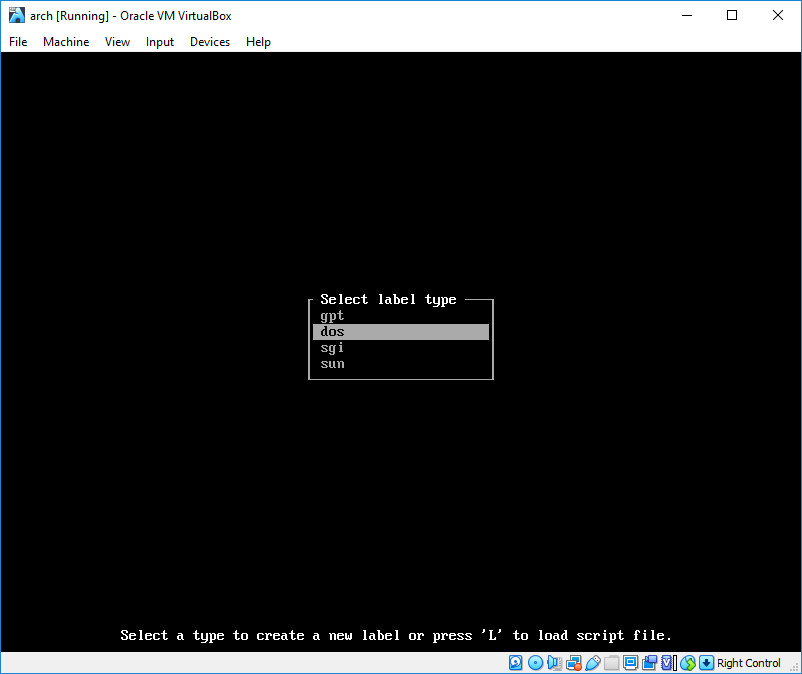
cfdisk /dev/sdaScreen will look like this, dos label type should be selected.
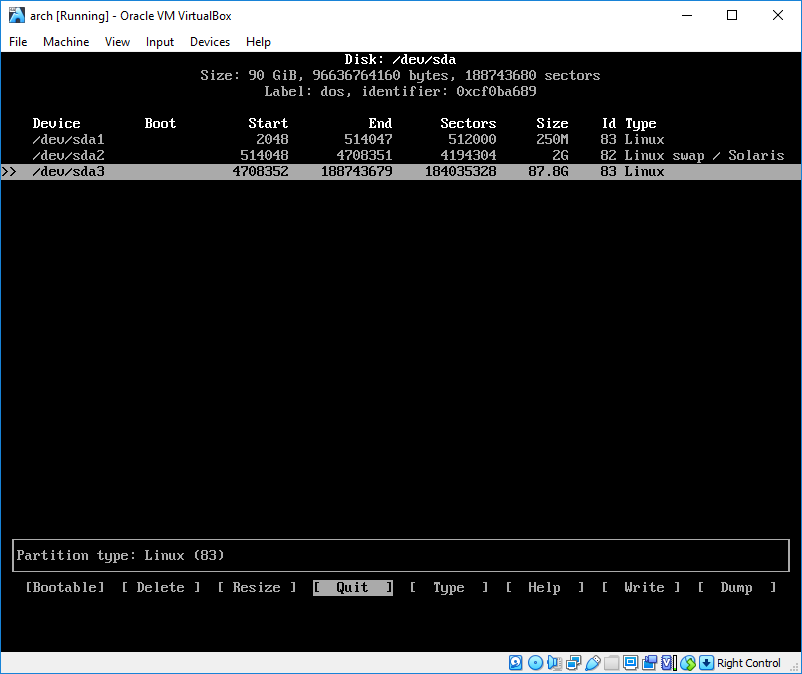
Create partitions as following
Format and mount partitions
 mkswap /dev/sda2
 swapon /dev/sda2

 mkfs.ext2 /dev/sda1
 mkfs.ext4 /dev/sda3

 mount /dev/sda3 /mnt
 mkdir /mnt/boot
 mount /dev/sda1 /mnt/boot
Installing the system
Installing base packages
pacstrap /mnt base linux-lts linux-firmwareGenerating fstab
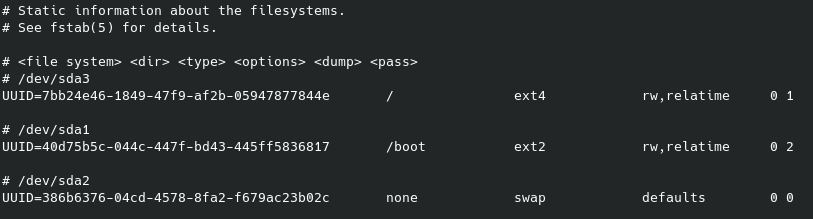
genfstab -U /mnt >> /mnt/etc/fstabResult should look like this
Chroot
arch-chroot /mntTime zone
 ln -sf /usr/share/zoneinfo/Region/City /etc/localtime
 hwclock --systohc
Localization
Edit /etc/locale.gen and uncomment en_US.UTF-8 UTF-8 and other needed locales. Generate the locales by running
locale-genEdit /etc/locale.conf
LANG=en_US.UTF-8Network
Edit /etc/hostname
archEdit /etc/hosts
 127.0.0.1       localhost
 ::1             localhost
 127.0.0.1       arch.localdomain arch
Add dhcp
 pacman -S dhcpcd
 systemctl enable dhcpcd
Root password
passwdBoot loader
 pacman -S grub
 grub-install /dev/sda
 grub-mkconfig -o /boot/grub/grub.cfg
Add regular user
 useradd -m user
 gpasswd -a user group
visudo useradd -m -G wheel -s /bin/bash user
passwd user
visudoPost-install
Update
sudo pacman -SyuInstall xorg
sudo pacman -S xorg-server linux-lts-headersVirtualBox
 sudo pacman -S virtualbox-guest-utils
 sudo systemctl enable vboxservice
KDE
 sudo pacman -S plasma-meta dolphin konsole
 sudo systemctl enable sddm
General purpose
sudo pacman -S firefox vim git man spectacle unzip zsh